How to get your brand recommended by ChatGPT
To get ChatGPT to recommend your brand, let its search crawler read your site, publish pages that directly answer the questions buyers ask, back every claim with specifics and sources, and get mentioned on the third-party pages ChatGPT already cites. Then track the answers every week, because they change.
Key takeaways
- ChatGPT recommends from two places: what it learned in training and what it finds when it searches the web.
- Blocking OAI-SearchBot keeps you out of ChatGPT search answers. Blocking GPTBot only opts you out of training.
- One page per buyer question, with the answer in the first two sentences, is the format that gets quoted.
- Mentions on review sites, roundups and forums often matter as much as your own pages.
How does ChatGPT choose which brands to recommend?
ChatGPT draws on two sources. The first is what the model learned during training, which changes only when a new model ships. The second is live web search: for questions about products, prices and comparisons, ChatGPT usually searches, reads several pages and writes its answer from them, with the sources linked.
The second source is the one you can influence this month. The brands ChatGPT names are the ones that show up clearly and consistently across the pages it reads.
Step 1: Let ChatGPT's search crawler in
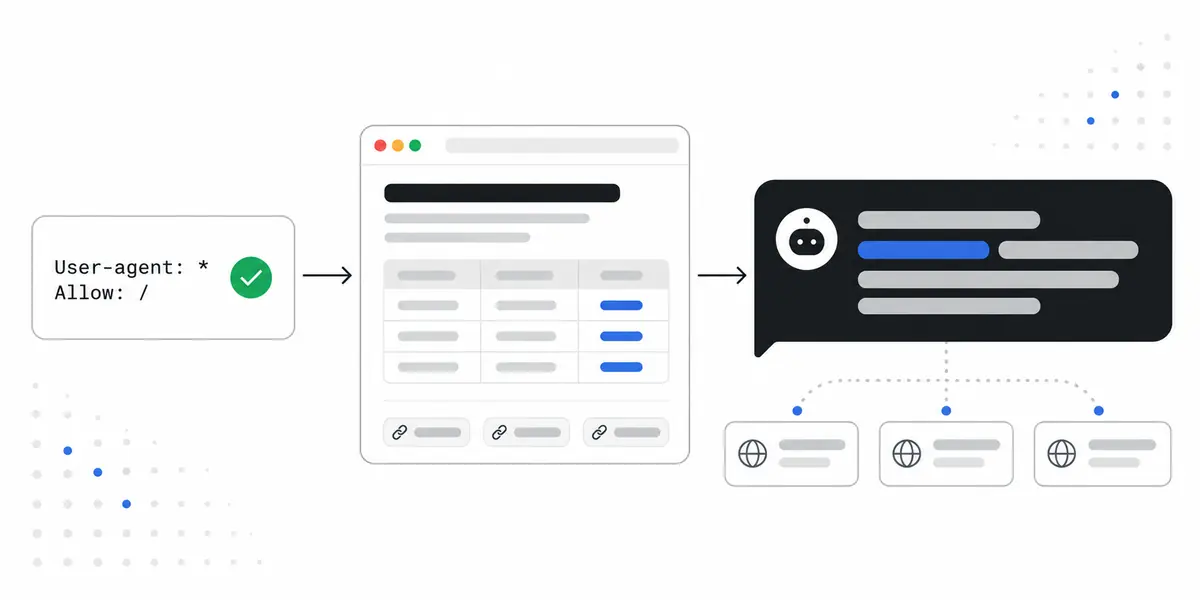
OpenAI runs separate crawlers with separate jobs. OAI-SearchBot finds pages for ChatGPT's search features. GPTBot collects training data. ChatGPT-User fetches a page when a person asks ChatGPT to open it. OpenAI is explicit that "sites that are opted out of OAI-SearchBot will not be shown in ChatGPT search answers."
You can allow search while declining training:
User-agent: OAI-SearchBot
Allow: /

User-agent: GPTBot
Disallow: /
Many sites block these crawlers by accident with a blanket rule. The free AI Crawler Checker reads your robots.txt and shows which AI crawlers get in.
Step 2: Find the questions buyers actually ask
Buyers don't type keywords into ChatGPT. They ask for a shortlist with context:
- Best for: "best invoicing app for a two-person design studio"
- Alternatives: "alternatives to [a competitor] with multi-currency"
- Comparisons: "[product A] vs [product B] for contractors"
- Problems: "how do I stop chasing late invoice payments"
Ask each one in ChatGPT with search on. Write down which brands it names, in what order, and which pages it cites. That list is your map of opportunities. The Buyer Prompt Generator drafts a starting set for your category.
Step 3: Publish one answer-first page per question
The pages ChatGPT quotes share a shape:
- The answer in the first two sentences. Name the pick and the reason.
- A fair comparison table. Include competitors and say honestly where each one wins. One-sided pages read as ads, and engines treat them that way.
- Specifics over adjectives. Prices, limits, integrations and numbers, with a date.
- Sources. Link to the documentation, reviews and data you relied on. In the research that named GEO, citing sources, adding quotations and adding statistics were the most effective changes, each lifting visibility by roughly 30 to 40%.
- An FAQ covering the follow-up questions, marked up as FAQPage.
Keep the page on your own domain, so every citation builds your site's authority.
Step 4: Get mentioned where ChatGPT already looks
Look at the sources ChatGPT cites for your prompts. They're usually review sites, "best of" roundups, comparison articles and forum threads. Being included there often matters more than one more page on your own site, because ChatGPT gives weight to brands that several independent sources agree on.
Pitch the authors with something useful: a correction, current pricing, a trial account. Always disclose who you are when you join a forum thread.
Step 5: Keep your facts consistent everywhere
If your pricing page says one thing, your G2 profile another and an old blog post a third, ChatGPT has to guess. Align your name, pricing, plans and key features across your site, profiles and directory listings. Consistency is what lets an engine repeat a fact with confidence.
Step 6: Track the answers every week
ChatGPT's answers vary from run to run, and they move as it re-searches the web. Ask the same prompts regularly and measure the share of answers that mention you, not a single screenshot. When a competitor overtakes you, check which new source it's being cited from.
What ChatGPT needs, and how to give it
| ChatGPT needs to | What to do | How to check |
|---|---|---|
| Read your pages | Allow OAI-SearchBot in robots.txt | AI Crawler Checker |
| Find a page for the question | One page per buyer prompt, indexed | Ask the prompt with search on |
| Quote a clear answer | Answer in the first two sentences | Read your intro out of context |
| Trust the claim | Specifics, dates and linked sources | Every number has a source |
| See consensus | Mentions on cited third-party pages | Compare sources across answers |
Frequently asked questions
How long does it take for ChatGPT to start recommending my brand?
For answers that use web search, a new page can be picked up once it's indexed and read, which is often a matter of days to weeks. Changes to what the model knows from training only arrive with a future model.
Does blocking GPTBot stop ChatGPT from recommending me?
No. GPTBot collects training data. ChatGPT's search answers rely on OAI-SearchBot, which you can allow separately.
Do I need an llms.txt file?
It isn't required. ChatGPT reads normal web pages. An llms.txt file is a cheap, optional index of your most useful pages, and our free generator makes one in a minute.
Should I write about competitors on my own site?
Yes, fairly. Buyers ask comparison questions, and a balanced page that says where each product wins is exactly what an engine can quote. Unfair pages tend to be ignored.